Getting started
Is BookTrakdB free?
Yes. BookTrakdB is free to use as a home library catalogue. You can catalogue up to 1,000 books across all of your personal libraries at no cost.
What can I catalogue?
You can catalogue physical books, ebooks, and audiobooks, along with the details that help you recognise and organise them—authors, series, narrators, genres, ratings, notes, cover images, and more.
Can I import an existing catalogue?
Yes. BookTrakdB supports spreadsheet-based import workflows so you can bring existing records into your personal library. Download a template, fill in your books, and import dozens or hundreds of records at once.
Can I keep audiobooks and ebooks with printed books?
Yes. BookTrakdB is designed to keep physical books, ebooks, and audiobooks together in one personal catalogue.
Can I export my records?
Yes. Export tools let you create a copy of your catalogue in Excel or CSV format outside the app.
Is there a desktop version?
A Mac desktop app is coming soon. The desktop app will keep a local SQLite-backed library available offline.
Do I need to be online?
The hosted browser version needs an internet connection. The desktop app is designed to keep its local library available offline.
Using your library
What does the dashboard show me?
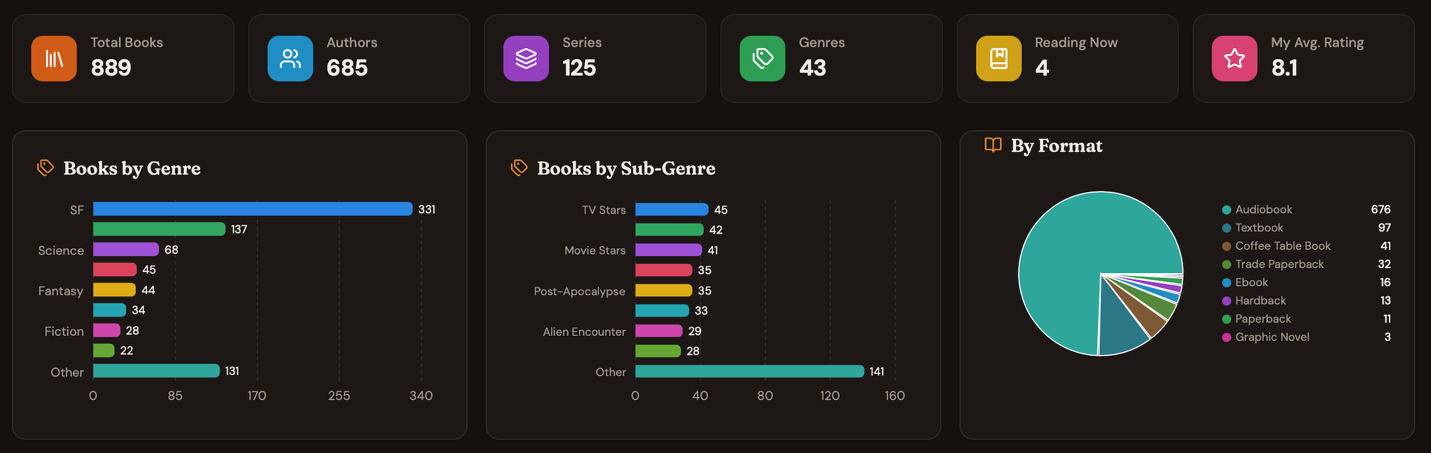
The dashboard gives you an overview of your collection at a glance. Summary cards show totals like book count, formats, and recent additions, while charts visualise format breakdowns, genre and sub-genre distributions, rating patterns, and acquisition trends. Everything is private to your account.
View screenshot
How do ratings work?
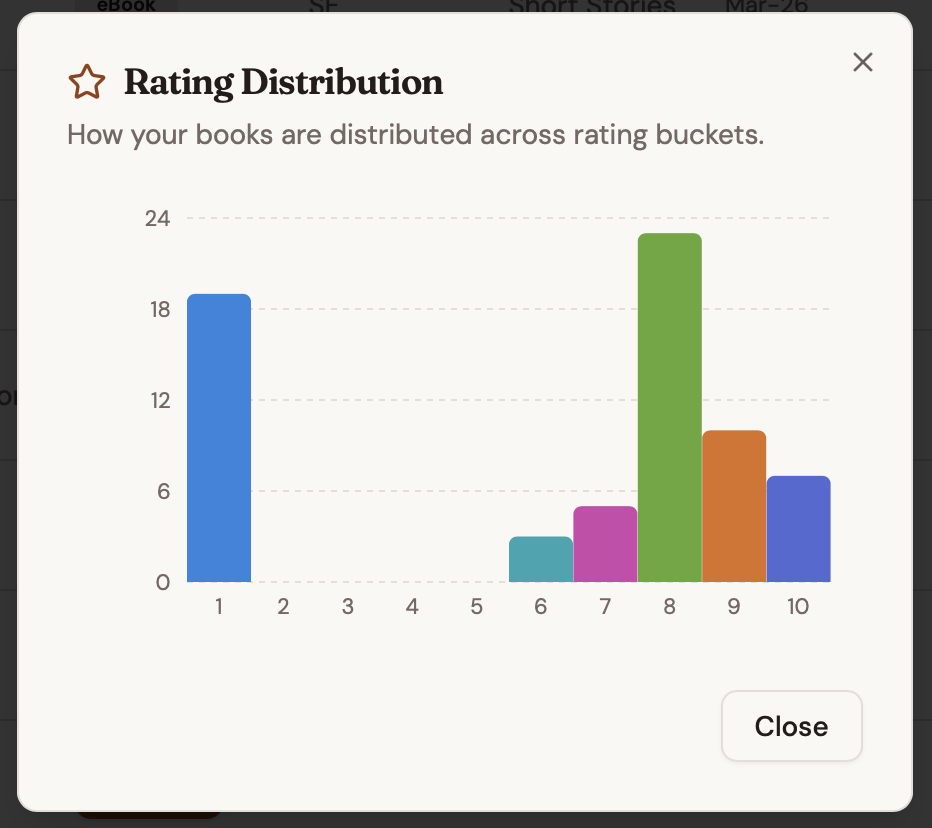
You can rate each book on your own 1–10 scale and optionally record an author rating. The dashboard charts your rating distribution so you can see at a glance which books you enjoyed most. You can also keep a Goodreads or other review-site score alongside your own.
View screenshot
Is there a guide to help me get started?
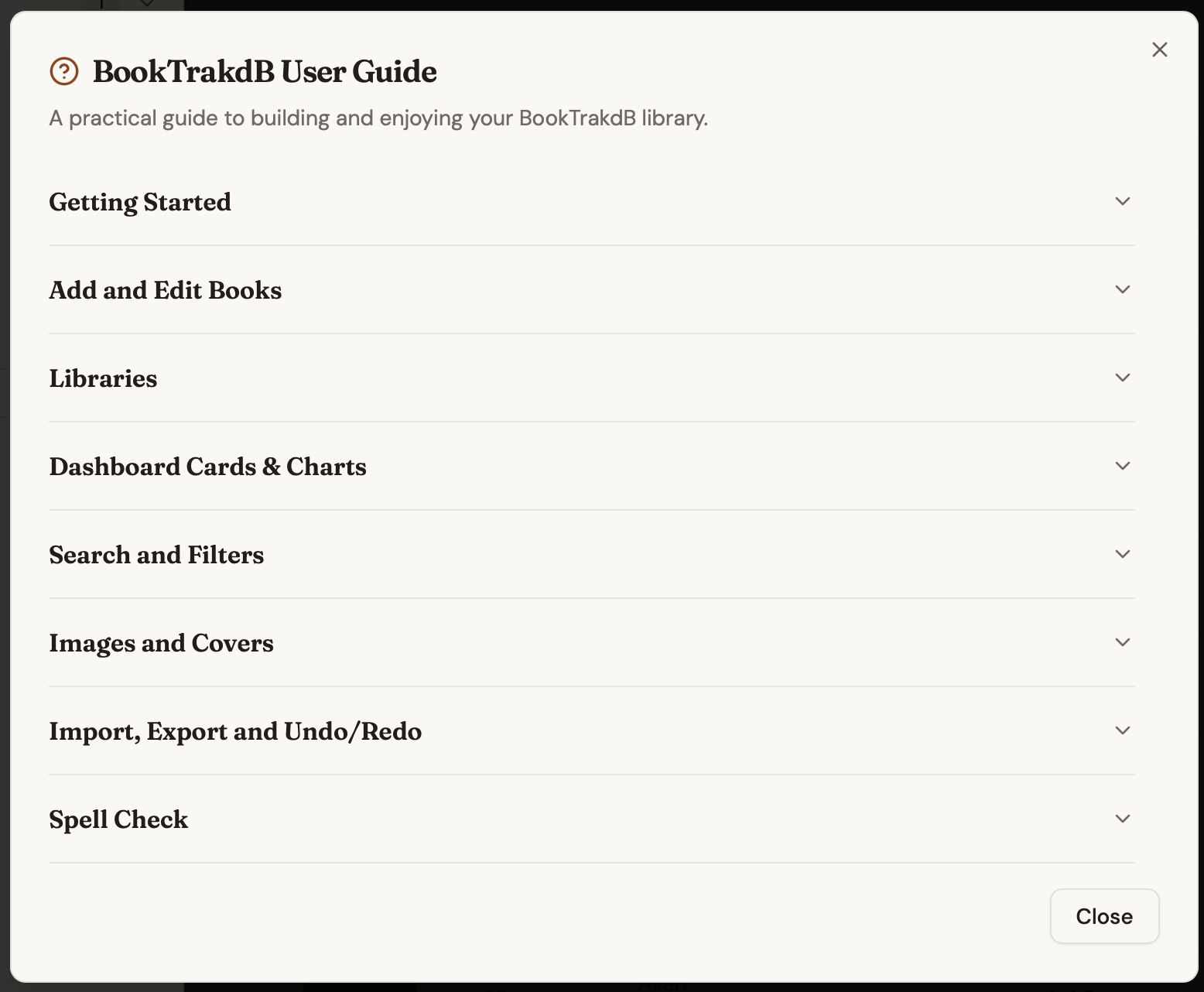
Yes. A built-in User Guide is available inside the app. It walks you through every part of BookTrakdB—from adding your first book and searching your collection to importing records, exporting data, and configuring appearance settings. The guide is always one click away.
View screenshot
Can I change how the interface looks?
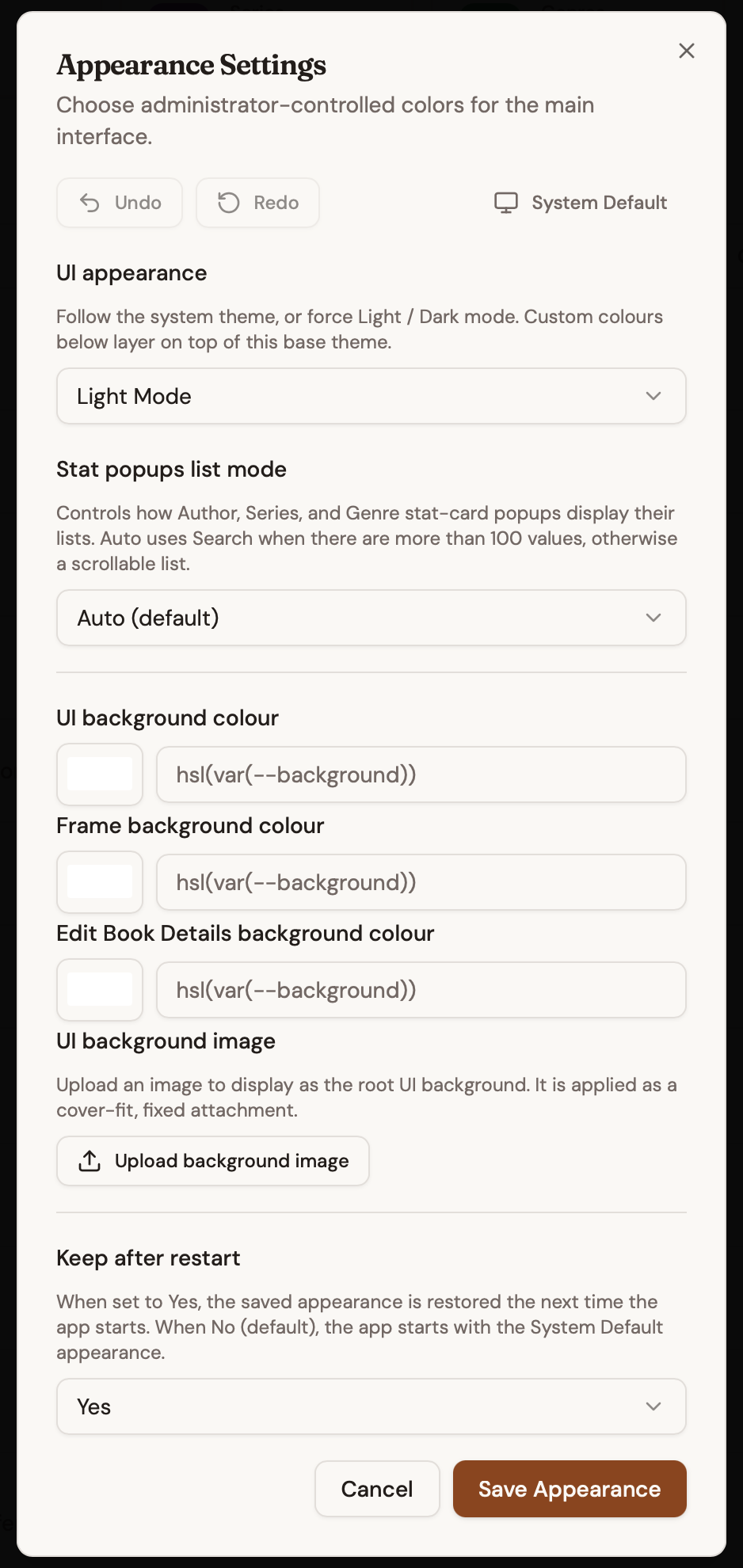
Yes. You can choose light, dark, or system-matched themes, and use Hide-Show controls to hide fields or panels you do not use. You can also choose colours for your main interface through the Appearance Settings dialog.
View screenshot